Heat sink and thermal simulation you can watch
See heat conduct through a solid, convect into moving air and radiate away. Visaria's Aero and Thermal solver couples heat transfer with airflow in 3D and updates as you change materials, fans and geometry.
Why do heat sinks have fins?
A heat sink moves heat away from a hot part into the air around it. The part gets cooler when more of the heat is carried off, and that depends on how much surface touches the air and how fast the air moves over it. Fins add surface area without making the heat sink much bigger. Too many fins packed too closely can slow the air so much that the benefit shrinks. Words like "surface area" and "boundary layer" explain this, but it is more convincing to see it.
That is what this heat sink simulation is for. Load a heat sink, put a heat source under it and watch the temperature field build up in the metal and the air. Change the spacing, the material or the airflow and see what changes.
What the Aero and Thermal solver does
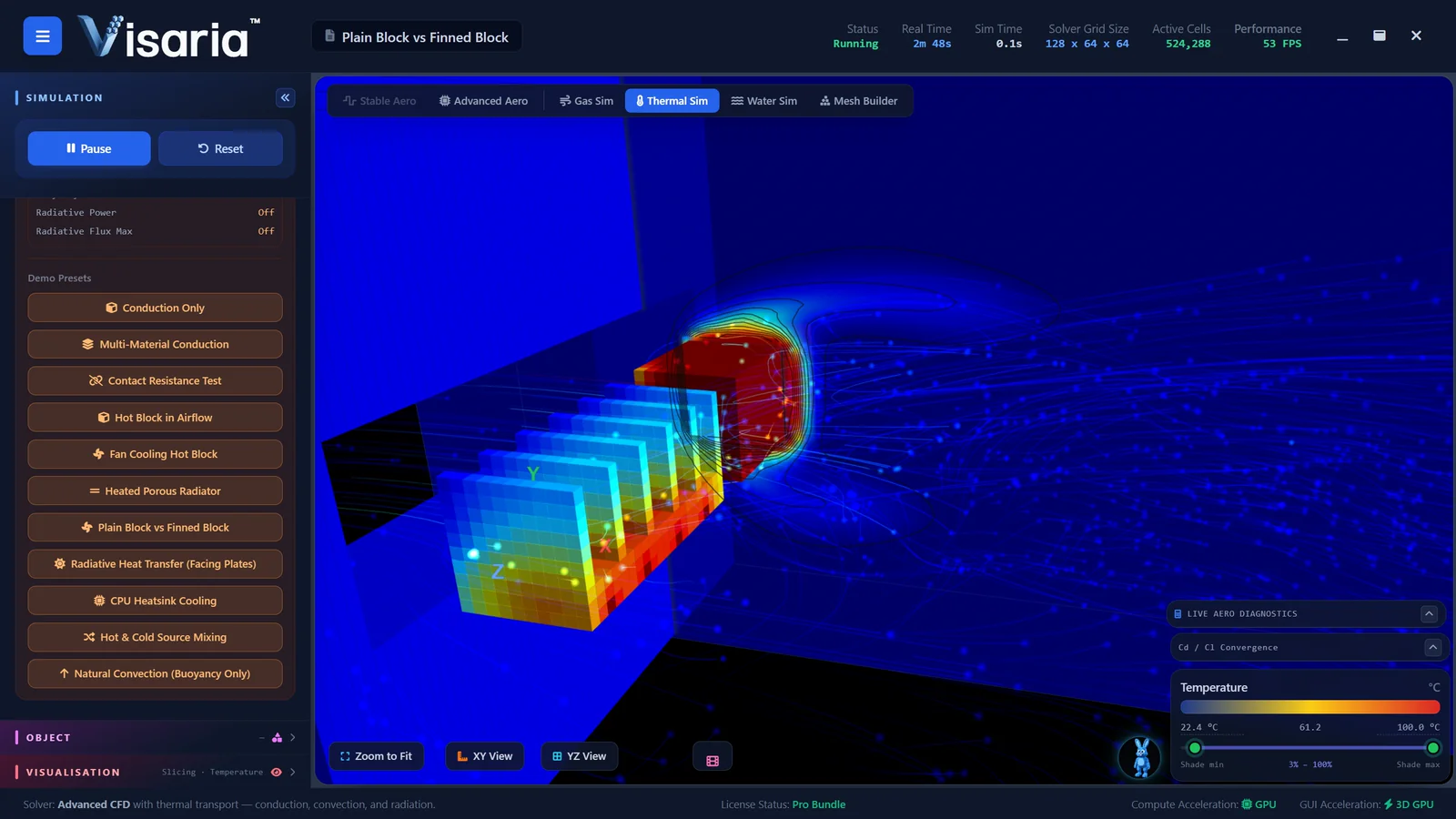
It solves fluid dynamics coupled with thermal conduction, convection and radiation, so heat moves through solids, into the air and between surfaces in the same simulation. You can see the effect of:
- different materials, since metals conduct heat better than plastics,
- heat sinks and fans, and what the airflow does to the temperature,
- radiators and other heated surfaces,
- buoyancy, as warm air rises and sets up natural convection,
- thermal dissipation, meaning where the heat goes and how quickly.
Things to try
- Compare a plain block with a finned heat sink under the same heat source.
- Turn the airflow from a gentle current to a stronger one, as a fan would, and compare the temperatures.
- Swap the material from a good conductor to a poor one and watch how the heat spreads.
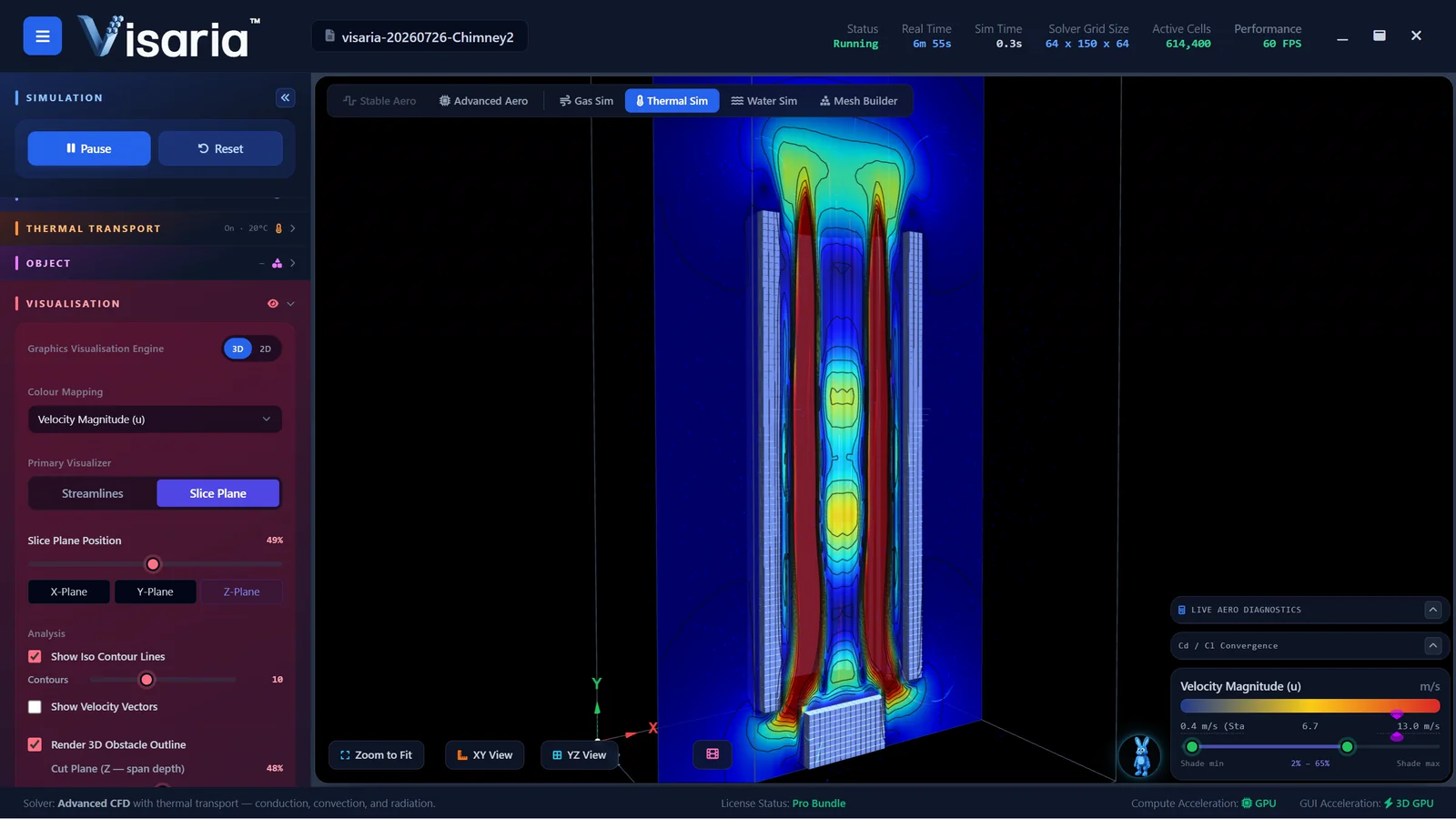
- Watch natural convection: warm air rising from a heated block with no fan at all.
- Import an STL model of your own heat sink, CPU cooler or small enclosure and ask the same questions of it.
Behind each experiment is a Learning Hub guide that explains the concept and links straight to the scenario.
Good for understanding, not for sign-off
Visaria uses a coarse voxel grid and solvers tuned for real-time use, so its temperatures are indicative. It is a good way to see how a cooling idea behaves and to compare one design against another. Do not use it to size a heat sink, certify a product or decide whether a component will stay within its limits. When temperatures matter, use a validated tool or measure the real thing.
The Aero and Thermal solver is included in the free 7-day trial and the Pro Bundle, and can be bought on its own. See pricing.
What you need to run it
Visaria runs on Windows and needs a dedicated graphics card: an NVIDIA GeForce GTX 1050 or AMD Radeon RX 560 is the minimum, and an RTX 2060 or RX 5600 XT or better is recommended, with an 8th-generation Intel Core i5 (or equivalent) and 8 GB of memory. Mac and Linux versions are coming soon. The free trial is the quickest way to check that it runs well on your computer.
Questions about thermal simulation in Visaria
Can I simulate CPU cooler airflow?
You can import an STL model of a heat sink or cooler, or build one in the Mesh Builder, add a heat source and airflow, and see how heat and air behave. The results are indicative, so use it to compare ideas and understand the physics, not to predict exact component temperatures.
Does it model natural convection?
Yes. Buoyancy is part of the Aero and Thermal solver, so warm air rises and sets up natural convection without a fan.
Does it cover radiation as well as conduction and convection?
Yes. The solver combines thermal conduction, convection and radiation with airflow in one simulation.
Can I import a CAD model?
Yes, as an STL file, which most CAD programs can export. Visaria voxelises the geometry automatically.
Is it accurate enough to design a heat sink?
No. It is built for learning and quick exploration. Its results are indicative, not validated engineering values.
Keep exploring
Or see all the features, the Learning Hub and the gallery.
See the heat flow
The free 7-day trial needs no payment card and includes the Aero, Gas, Thermal and Water solvers.