Virtual wind tunnel: aerodynamics and drag simulation
Put a shape in a virtual wind tunnel and watch the airflow, pressure and streamlines build up in 3D. Visaria's Aero solver runs on your graphics card and lets you change the design or the wind and see the flow respond.
What is a virtual wind tunnel?
A wind tunnel blows air past a model so you can see and measure what the air does. A virtual wind tunnel does the same on a computer: you place a shape in a simulated stream of air and solve for the flow around it. This is airflow simulation, or aerodynamics simulation, and it is computational fluid dynamics (CFD): the same idea used in professional aerodynamics work, applied here to learning and exploring.
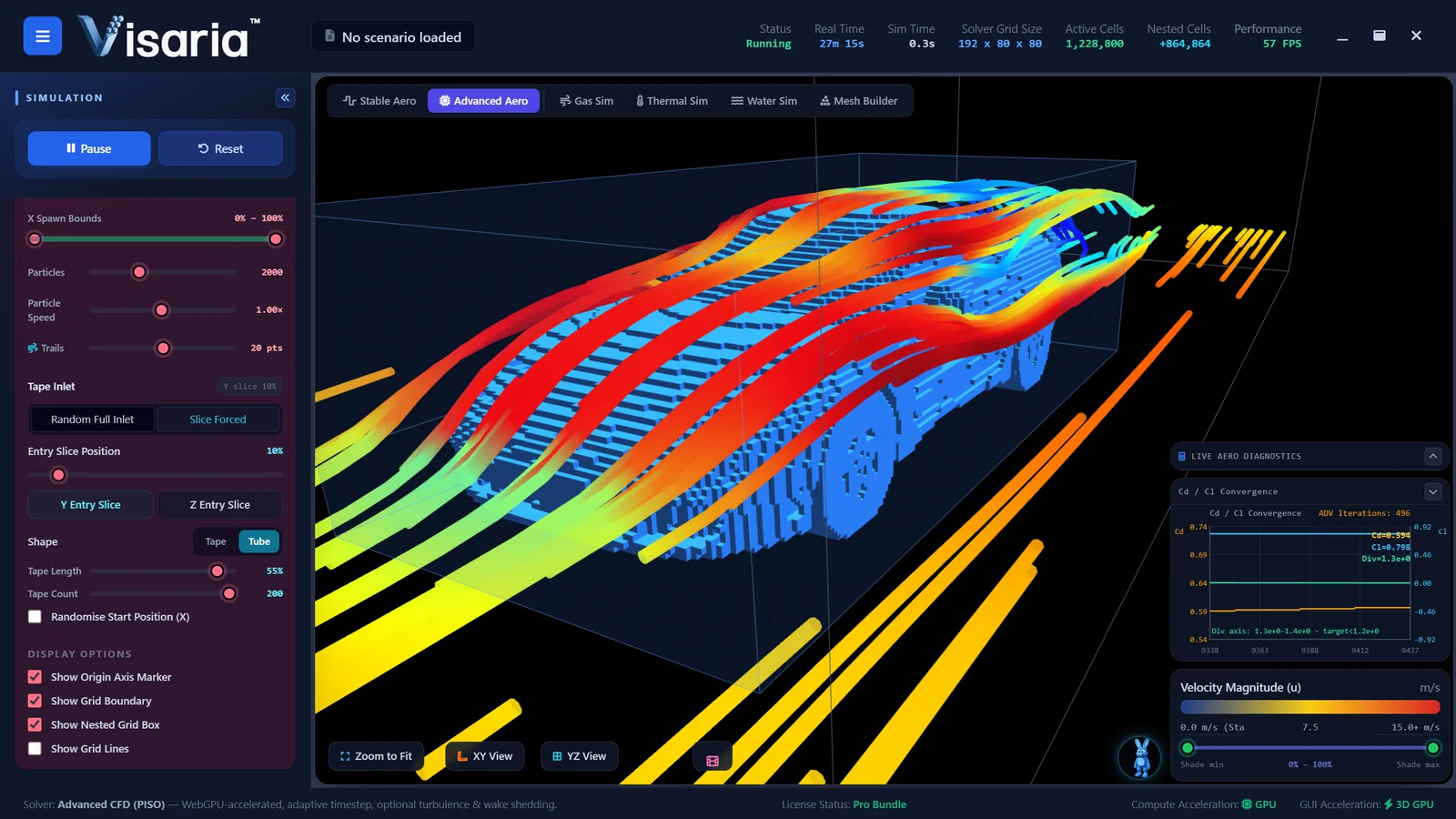
As flow simulation software, Visaria gives you a full 3D simulation with GPU acceleration and turbulence modelling, so you can see where the air speeds up, where pressure builds, where the flow separates and where it swirls behind the shape, and watch it respond as you change things.
What you can see and control
- Streamlines, flow speed and pressure around and behind your shape.
- Recirculation and turbulence: where the flow separates and tumbles.
- Boundary conditions you can inspect and change, including a moving road, symmetry and the size of the flow domain.
- Default and custom mesh sizes, and a nested fine grid around the part you care about.
- Convergence plots and solver information alongside the simulation, so you can see when the flow has settled.
- Force coefficients such as drag and lift, shown as a guide to how the solution is converging.
Bring your own shape
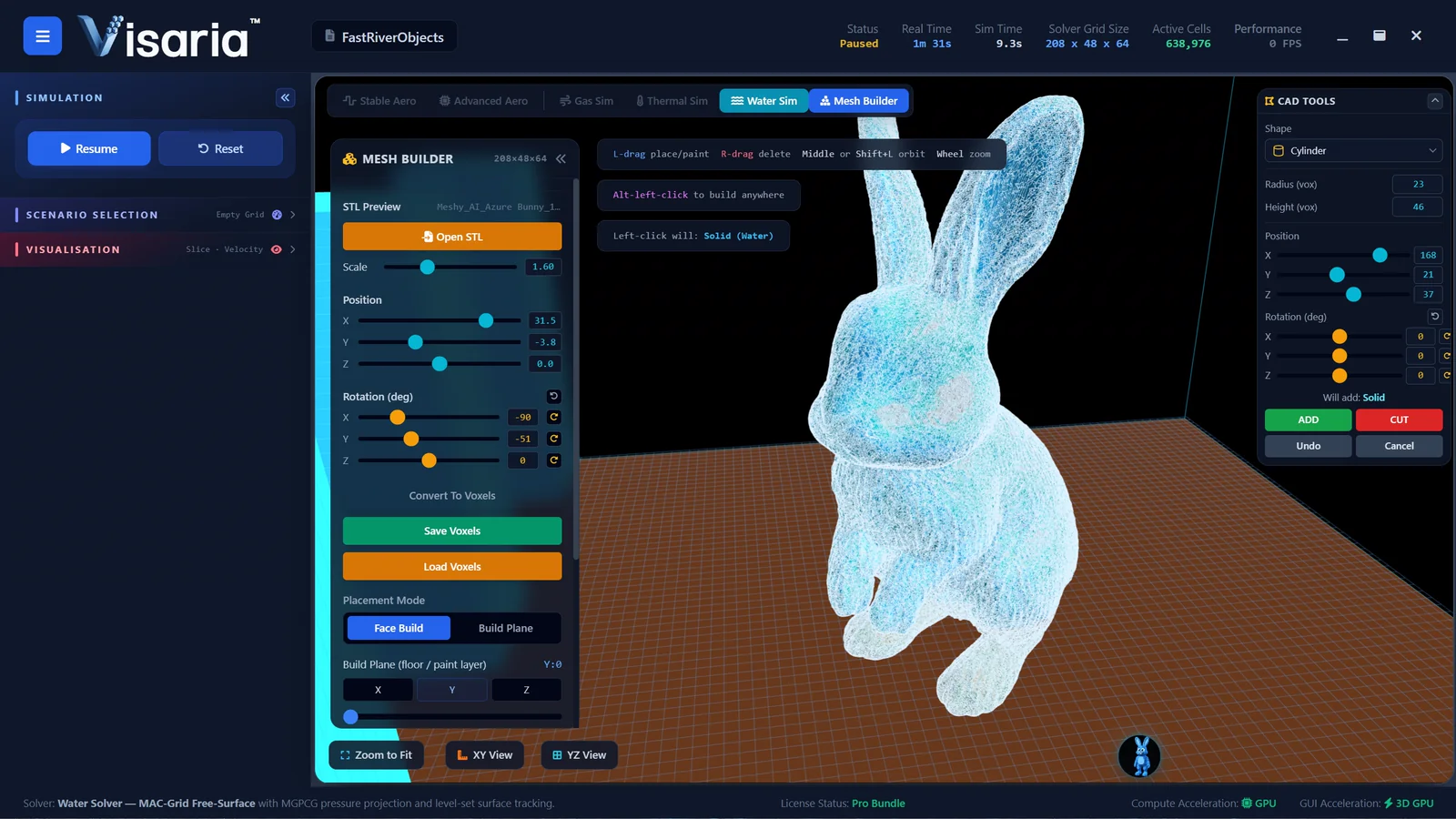
Load an STL file from your CAD program, or build a shape in the Mesh Builder from primitives and boolean operations. STL is a standard export from most CAD tools, such as Fusion 360, and from 3D printing software, so you can bring in the model you have already made: a car or truck body, a model rocket, an RC car, a cycling helmet or bicycle part, a drone arm or a wing section. Car aerodynamics simulation is a good first project, because the effect of the shape on the wake and the drag is easy to see. Visaria voxelises the geometry automatically and you press run.
Then ask the questions that matter to you. Does a rounder nose help? What happens to the flow behind a blunt tail? How much does a spoiler change the wake? You can change the geometry or the wind and compare, one variation after another, in minutes.
Understanding drag
Drag is the force that resists motion through air. It comes from pressure differences around the body and from friction in the thin layer of air next to its surface. Streamlining reduces it by keeping the flow attached for longer and shrinking the turbulent wake. Reading this is one thing; watching the wake shrink as you smooth the shape is another, and that is the learning Visaria aims for. The Learning Hub has short primers on these ideas with links to scenarios you can adjust.
How accurate is it?
Visaria uses a coarse voxel grid and solvers tuned for real-time use. It is built for understanding and quick comparison of ideas, not for engineering-grade numbers. Its drag and lift values are indicative, a convergence monitor rather than a validated measurement, so do not use it for certification or for design decisions where accuracy matters. Use it to see why, then use a validated tool or a real wind tunnel for how much.
The Aero solver is included in the free 7-day trial and in the Pro Bundle, and can be bought on its own. See pricing.
What you need to run it
Visaria runs on Windows and needs a dedicated graphics card: an NVIDIA GeForce GTX 1050 or AMD Radeon RX 560 is the minimum, and an RTX 2060 or RX 5600 XT or better is recommended, with an 8th-generation Intel Core i5 (or equivalent) and 8 GB of memory. Mac and Linux versions are coming soon. The free trial is the quickest way to check that it runs well on your computer.
Questions about wind tunnel simulation in Visaria
Is it as good as a real wind tunnel?
No, and it is not meant to be. It shows the behaviour of the flow in 3D and lets you compare ideas quickly, but it uses a coarse grid, so its numbers are indicative. A real wind tunnel or a validated CFD tool is the place for accurate measurement.
Can I find the drag coefficient of my model?
Visaria shows drag and lift coefficients as a guide to how the simulation is converging. They are indicative values for comparing designs, not validated measurements.
Which file formats can I import?
STL files. Most CAD programs and 3D printing tools can export STL. You can also build geometry in the Mesh Builder from primitives and boolean operations.
Can I simulate a car with a moving road?
Yes. The Aero solver supports a moving road, symmetry and flow-domain settings, and you can inspect and adjust the boundary conditions.
Is there a free trial?
Yes. The free 7-day trial has no payment card and includes the Aero solver. Request a trial key.
Keep exploring
Or see all the features, the Learning Hub and the gallery.
Put your design in the wind tunnel
The free 7-day trial needs no payment card and includes the Aero, Gas, Thermal and Water solvers.